How to Pay with Telegram Stars
Purchasing our membership through Telegram is a simple two-step process:
- You purchase Stars from Telegram using your card (or Google Pay, Apple Pay, or other methods).
- You use the Stars you purchased to buy our service (by paying the Stars to our bot).
Ways to buy Stars:
- Via the official @PremiumBot in Telegram.
- Via Settings → My Stars in the Telegram app.
- Directly when prompted during payment if your balance is insufficient.
1
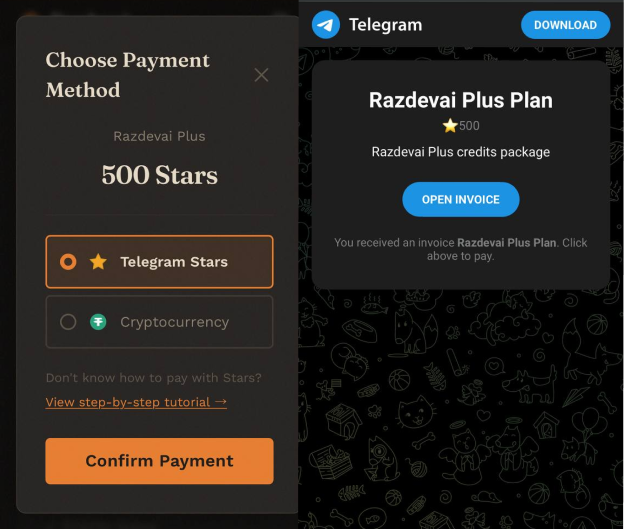
Generate an order on our website
On the pricing page, select your desired plan and click to pay using Telegram Stars. An invoice will be generated and opened in Telegram.
2
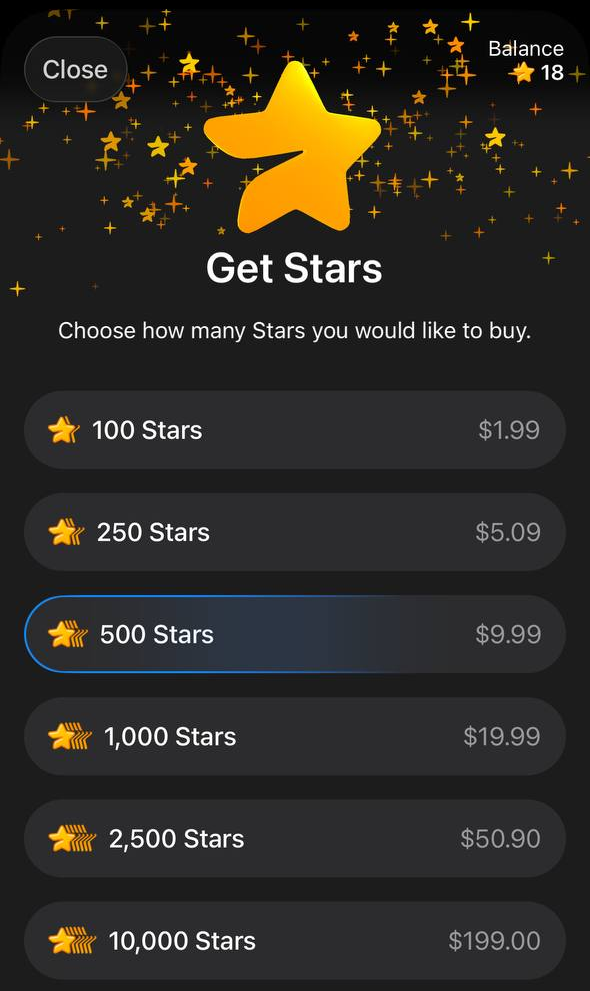
Buy Stars in Telegram
After opening the invoice, if you don't have enough Stars, Telegram will automatically prompt you to purchase more. You can also buy Stars beforehand via @PremiumBot or Settings → My Stars. Pay with your card, Apple Pay, Google Pay, or other available methods.
💡
If you already have enough Stars in your balance, you can skip this step.
3
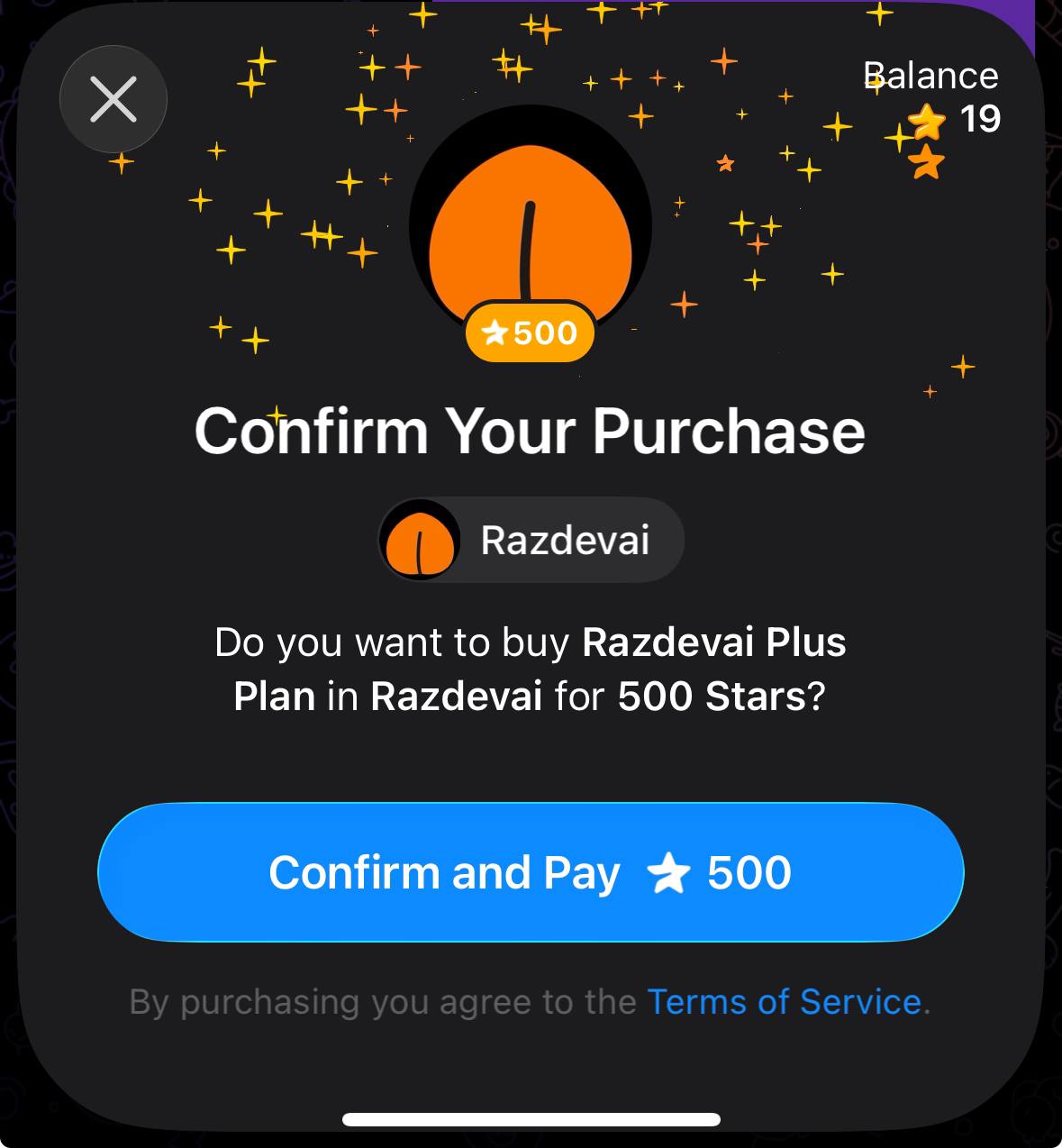
Complete payment with Stars
Once you have enough Stars, confirm the payment to our bot to complete the purchase. Your credits will be added to your account immediately.
⚠️
This is the step most easily forgotten — make sure you complete the payment after buying Stars!
Tips
1.
If you have not received your credits, please open the settings section in the Telegram App, then click on the "My Stars" area. Check if your purchase of Stars was successful, or if you did not pay the Stars to our bot.
2.
If you are unable to purchase Stars with your card, try purchasing them using Apple Pay or Google Pay on the mobile version of Telegram, or try using the web version of Telegram to see if your card can complete the payment.
3.
The price for purchasing our service through Telegram Stars may be higher than our website's listed price (specific prices vary by region). However, we are not charging extra — this portion only covers the transaction fees charged by Telegram.